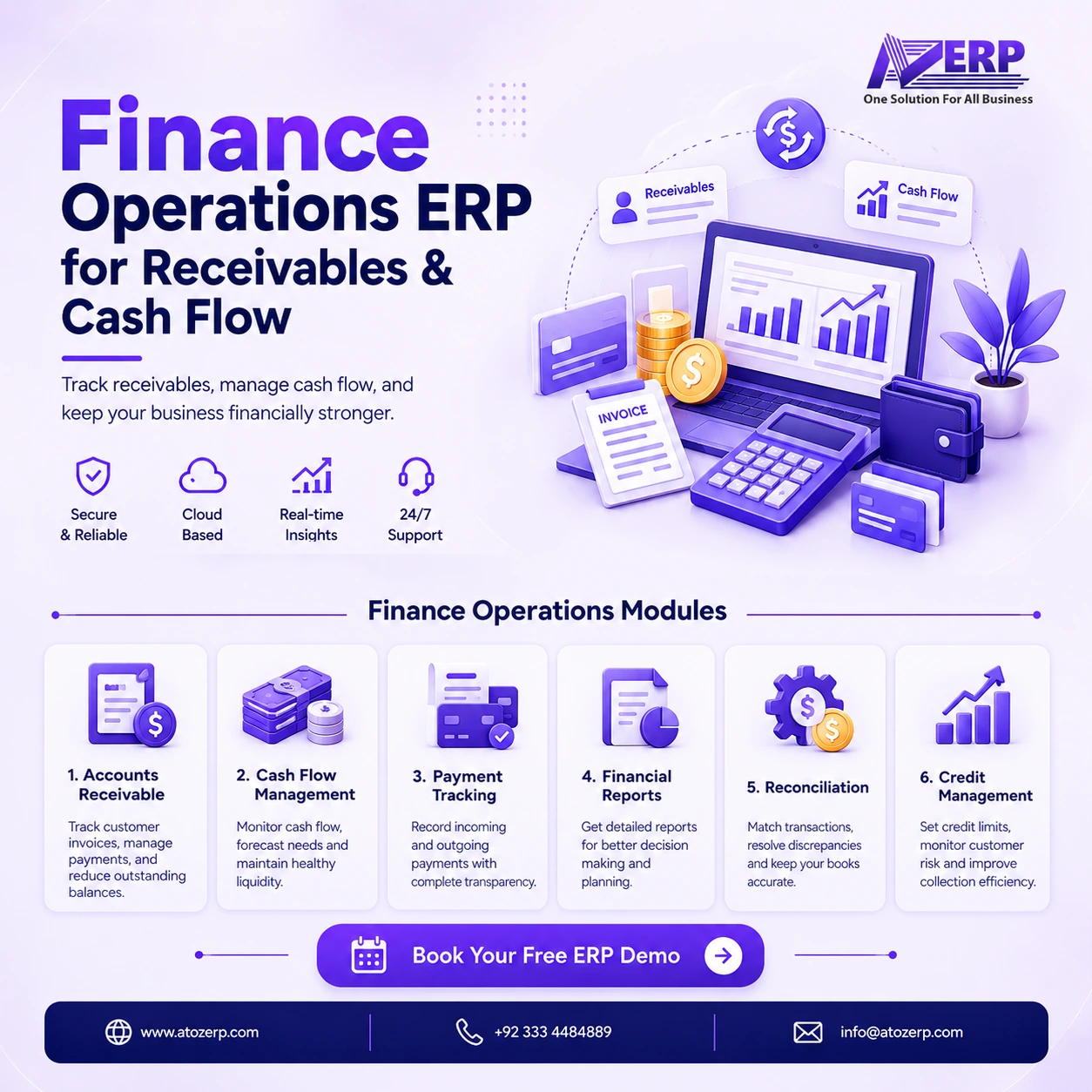
Bring receivables operations under control
Growing businesses often close sales in inventory and POS yet still chase payments in spreadsheets, WhatsApp threads and shared inboxes. Aging is unclear, collectors lack a shared case view, and cash sitting in the bank is not cleanly applied to the right invoices. That gap between “invoiced” and “collected” is where working capital leaks.
Finance Operations ERP in ATOZ ERP—FinOps—gives finance and collections teams a dedicated operational layer for accounts receivable, follow-ups, cash application, bank reconciliation and cash forecasting, while staying integrated with the rest of ATOZ ERP.
What is FinOps in ATOZ ERP?
FinOps is the operational finance / working-capital layer. It is not a replacement for Double Entry Finance and it does not invent a second AR ledger. Inventory sales remain the receivables source of truth; FinOps organises how your team monitors, collects, applies and reconciles those balances day to day.
Use FinOps when you need visibility into customer outstanding, structured collection activity, cleaner payment allocation and management reporting—without forcing every operational step through the general ledger first.
Key features
Accounts receivable cases & aging
FinOps builds and maintains AR cases from unpaid and partially paid Inventory sales so collectors work from live customer outstanding rather than static exports. Aging views help you prioritise overdue balances and see how exposure concentrates by customer and bucket.
Collections, promises & disputes
- Collection activities, reminders and assignment for follow-up ownership
- Promises to pay so expected cash can be tracked against commitments
- Dispute cases with evidence for operational resolution (dispute close does not silently rewrite AR)
- Payment terms and collection strategies configurable in FinOps settings
Cash application
Allocate incoming payments to open invoices through the Inventory sale ledger. Allocate and void controls keep the application trail clear when a payment must be reversed or reapplied.
Bank statements & reconciliation
Enter bank statement lines, match or unmatch them to transactions, and use matching suggestions to reduce manual reconciliation effort. This is built for controlled, operator-driven reconciliation—not automatic bank feed ingestion.
Cash forecast & alerts
Cash forecasting uses deterministic due-date style buckets so managers can see expected inflows from receivables and plan short-term liquidity without opaque “AI” projections.
Tax profiles & e-invoice adapters
Configure tax profiles and rules for operational tax handling. E-invoice flows support document generation, validation and submission through stub, sandbox and webhook adapters so teams can prepare e-invoice workflows and test submission behaviour before relying on a live authority connection.
AR adjustments, compliance & optional Finance posting
- AR adjustments such as write-offs and credits via Inventory
- Compliance GRC tools for frameworks, requirements, evidence, audits and scoring
- Optional Finance GL posting (
Post_To_Finance)—available when you want vouchers in Double Entry Finance, off by default - On-demand automation run for batch operational tasks (no hidden cron requirement to use the module)
Dashboard & reports
A Finance Operations dashboard and multiple report types give managers receivables, collections and reconciliation visibility without exporting everything to offline workbooks.
How FinOps works
- Sales are posted in Inventory (or wholesale fulfillment that invoices through Inventory).
- Open and partial balances appear as FinOps AR cases for monitoring and aging.
- Collectors run activities, reminders, promises and dispute handling against those cases.
- Incoming money is applied through cash application to the correct invoices.
- Bank lines are reconciled to keep statement and books aligned.
- Cash forecast and reports summarise expected and overdue exposure for management.
- If enabled, selected activity can optionally post into Double Entry Finance.
Business benefits
- Clearer visibility into receivables and overdue invoices
- Faster, more organised collections with ownership and follow-up history
- Cleaner cash application and fewer “unallocated payment” piles
- Improved bank reconciliation discipline
- Better short-term cash-flow visibility for working capital decisions
- Operational finance reporting without replacing your GL module
- Tighter link between sales invoices and collection outcomes across ATOZ ERP
Who is it for?
- Finance controllers who need working-capital visibility beyond the trial balance
- Accounts receivable and collections teams managing customer outstanding
- SMEs that sell on credit through Inventory and need structured follow-up
- Distributors preparing to use Wholesale & Distribution with FinOps collections after Inventory invoicing
- Operators who already use Cashbook or Finance and want a dedicated receivables ops layer
Integration with ATOZ ERP
FinOps is designed as part of one modular platform—not a standalone collections silo.
- Inventory: AR source of truth from sales invoices and related ledgers
- Finance: optional GL posting; FinOps does not duplicate the chart of accounts
- Cashbook: sibling cash discipline module for day-to-day cash in/out where used
- Wholesale: order-to-cash ends in Inventory invoicing; FinOps owns collections operations
- Pump Station: credit fuel sales can feed Inventory AR pathways that FinOps can help collect
Explore the broader suite on the ERP modules page and the ERP Cloud overview.
Reporting & management visibility
Managers can monitor receivables exposure, collection progress, reconciliation status and forecast buckets from FinOps dashboards and reports. The goal is operational clarity: who owes what, what is overdue, what was promised, what was applied, and what still needs attention.
Why ATOZ ERP?
ATOZ ERP is built as one solution for all business processes—inventory, finance, cashbook, HRM and industry modules on a shared cloud architecture. FinOps extends that model for working-capital operations so sales, stock and collections stay connected.
Frequently asked questions
What is Finance Operations ERP?
Finance Operations (FinOps) in ATOZ ERP is the working-capital layer that helps teams manage receivables cases, aging, collections, cash application, bank reconciliation and cash forecasting while Inventory remains the AR source of truth and Double Entry Finance remains the optional GL.
Does FinOps replace Double Entry Finance?
No. FinOps complements Double Entry Finance. It focuses on receivables operations and cash workflows. Optional posting to Finance can be enabled when you want GL vouchers; it is off by default.
How does FinOps help with overdue invoices?
Unpaid and partially paid Inventory sales feed AR cases. Teams can review aging, run collection activities, record promises to pay, track disputes operationally, and apply incoming payments against open invoices.
What is cash application in FinOps?
Cash application lets finance staff allocate customer payments to open receivables through the Inventory sale ledger, with allocate and void controls to keep application history auditable.
Can FinOps reconcile bank statements?
Yes. You can enter bank statement lines manually, match or unmatch them to transactions, and use suggestions to speed reconciliation. Automated bank feeds are not part of the current FinOps scope.
Does FinOps include e-invoicing?
FinOps supports e-invoice document generation, validation and submission through stub, sandbox and webhook adapters so you can prepare and test e-invoice workflows. Live tax-authority filing integrations are adapter-driven and should be confirmed for your jurisdiction.
How does FinOps connect to Inventory and Wholesale?
Receivables originate from Inventory sales. Collections and cash application operate on those open balances. Wholesale fulfillment is designed to invoice through Inventory, then FinOps handles collections—without a separate wholesale AR ledger.
Get a Free Demo
See how Finance Operations fits your receivables and collections process.
Get a Free Demo · Create Your Free Account Today · Start Your 15-Day Free Trial