B2B fulfillment without spreadsheet chaos
Distributors and wholesalers lose margin when sales teams promise stock that is already spoken for, when picking starts without a clear order status, and when invoicing is disconnected from what actually left the warehouse. Spreadsheets cannot show reserved versus available quantity in real time.
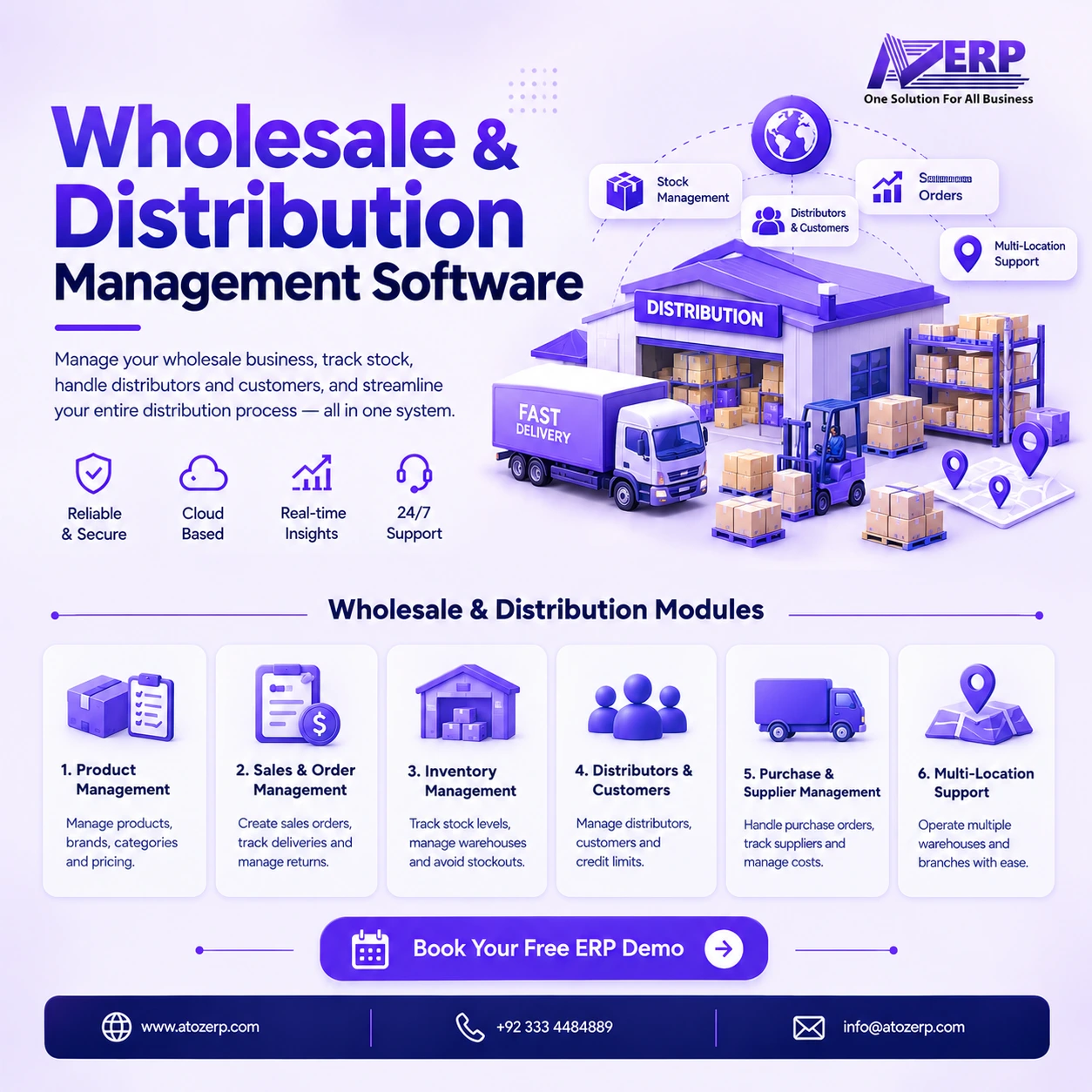
Wholesale distribution software in ATOZ ERP gives B2B teams a structured order-to-cash workflow—sales orders, ATP, reservation, pick, pack, dispatch and Inventory invoicing—on a frozen architecture that keeps Inventory, FinOps and Finance ownership clear.
What is Wholesale in ATOZ ERP?
Wholesale owns the sales order and fulfillment workflow. It does not own a second stock ledger or a second AR ledger.
- Inventory owns on-hand quantity (
inventory_item_article.Article_Quantity), stock movements and the sale invoice / AR source (inventory_invoice_sales,inventory_sale_transaction). - Reservations use
inventory_stock_reservationso Available Stock = On Hand − Reserved. - FinOps owns collections and receivables operations after invoices exist.
- Finance GL remains optional and is not duplicated inside Wholesale.
- Pricing uses
inventory_price_list(including quantity breaks and date-based pricing where configured). - Sales representatives come from
hr_employee_listvia HRM.
Sales order lifecycle
Orders move through a clear operational path:
DRAFT → CONFIRMED → RESERVED → PICKING → PICKED → PACKED → DISPATCHED → PARTIALLY_INVOICED / INVOICED → COMPLETED
Additional states: ON_HOLD and CANCELLED.
That lifecycle gives managers order visibility from commitment through reservation, warehouse execution, dispatch and invoicing—without guessing which spreadsheet tab is current.
Key features
Sales orders
- Create and manage B2B sales orders
- Customer and product selection with quantities
- Customer, group and quantity-break pricing via Inventory price lists
- Confirm, hold and cancel controls with order history
Inventory availability & reservation
Available-to-promise shows on-hand, reserved and available quantity. Confirmation reserves stock; reservation can be released or consumed through fulfillment. Confirming an order does not permanently deduct on-hand stock—Inventory sale invoice posting decrements quantity.
Picking, packing & dispatch
- Pick lists and picking status for warehouse execution
- Packing as a fulfillment workflow status
- Dispatch / fulfillment with status tracking and partial paths where supported
- Bridge from dispatch/fulfillment into Inventory sale invoicing
Invoicing & receivables ownership
Sales Order → Fulfillment/Dispatch → Inventory Sale Invoice. Wholesale does not maintain a separate accounting AR ledger. After invoicing, FinOps handles collections and cash application.
Credit management
Credit services evaluate customer credit limit, outstanding balance and available credit so orders can be checked, approved or blocked according to policy—before you over-commit risk.
Sales representatives
Assign reps from existing HR employees for order ownership and sales performance visibility—no parallel employee master.
Dashboard & reports
Management views cover sales orders and value, pending work, reserved stock, picking/dispatch progress, invoicing status, outstanding receivables linkage, top customers/products and sales-rep performance where reported.
How it works
- Create a draft sales order with customer, lines, quantities and price list rates.
- Run credit and ATP checks; confirm the order to reserve stock.
- Pick and pack against the reserved order.
- Dispatch fulfilled quantities (including partials where used).
- Create Inventory sale invoices from fulfillment—stock decrements on invoice posting.
- Collect open balances through FinOps; optionally post GL in Finance.
Ideal customers & use cases
Distributor
Receives customer orders → checks available stock → reserves → picks → dispatches → invoices in Inventory → tracks receivable collections in FinOps.
Wholesaler
Uses customer and quantity-break price lists for recurring B2B orders with clear reservation before warehouse work starts.
Sales team
Representatives manage customer orders using existing ERP customers and HR employee records.
Stockist
Sees on-hand versus reserved stock before committing supply to another customer.
Business benefits
- Order visibility across every fulfillment stage
- Fewer oversells via reservation and ATP
- Cleaner pick and dispatch execution
- Single invoice/AR path through Inventory
- Credit control before risky confirmations
- Collections continuity through FinOps
- Rep accountability without a second HR database
Who is it for?
- Wholesalers and distributors
- FMCG and general trading stockists
- Regional B2B sales organisations
- Businesses managing sales representatives and customer orders
- Teams already on ATOZ Inventory that need true order fulfillment beyond immediate POS invoicing
Integration with ATOZ ERP
Reporting & management visibility
Leaders can monitor pipeline orders, reserved quantity, warehouse backlog, dispatch progress, invoiced value and collection exposure without merging conflicting spreadsheets. Operational KPIs stay aligned to the same Inventory quantities that accounting already trusts.
Why ATOZ ERP?
ATOZ ERP is one solution for all business processes. Wholesale extends Inventory and FinOps into a B2B fulfillment spine instead of bolting on a disconnected distribution database.
Frequently asked questions
What is wholesale distribution software?
Wholesale distribution software manages B2B order-to-cash: sales orders, stock availability, reservation, picking, dispatch and invoicing. In ATOZ ERP, Wholesale owns the fulfillment workflow while Inventory owns on-hand stock and sale invoices, and FinOps owns collections.
How does wholesale stock reservation work?
Confirming a sales order reserves stock (soft reservation / ATP). Available stock is on-hand minus reserved. Stock quantity on hand is reduced when the Inventory sale invoice is posted—not merely when the order is confirmed.
Does confirming a sales order deduct inventory?
No. Confirmation leads to reservation. Inventory on-hand decreases when fulfillment results in an Inventory sale invoice posting. That keeps ATP honest without prematurely consuming stock.
Can a wholesale ERP manage customer credit?
Yes. Wholesale credit checks use customer credit limits, outstanding balances and available credit so orders can be approved or blocked according to configured credit rules—without inventing a separate accounting ledger.
Where do sales representatives come from?
Sales representatives are assigned from existing HR employees (hr_employee_list). Wholesale does not maintain a separate employee database.
How does Wholesale connect to FinOps and Finance?
After dispatch/fulfillment creates Inventory sale invoices, receivables remain in Inventory AR. FinOps handles collections and cash application. Double Entry Finance remains the optional GL—Wholesale does not duplicate GL or AR ledgers.
What sales order statuses are supported?
The primary lifecycle is DRAFT → CONFIRMED → RESERVED → PICKING → PICKED → PACKED → DISPATCHED → PARTIALLY_INVOICED / INVOICED → COMPLETED, with ON_HOLD and CANCELLED where required.
Get a Free Demo
See the wholesale order-to-cash path from reservation through Inventory invoicing and FinOps collections.
Get a Free Demo · Create Your Free Account Today · Start Your 15-Day Free Trial